


AI Video Generator: 3D FlixAI
3.0446.00 Reviews
App Specs
- Version
- 1.3.4
- Updated On
- License
- Free
- Downloads
- 10,000,000+
- Developer
- Tresor Tech
- Categories
- Art & Design
- Platform
- Android
Screenshots

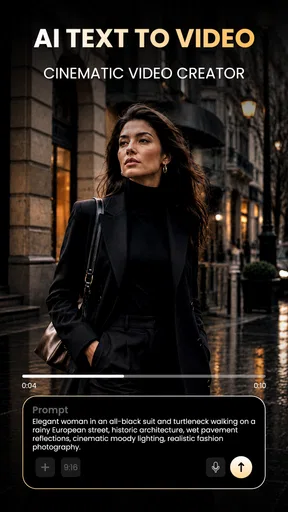
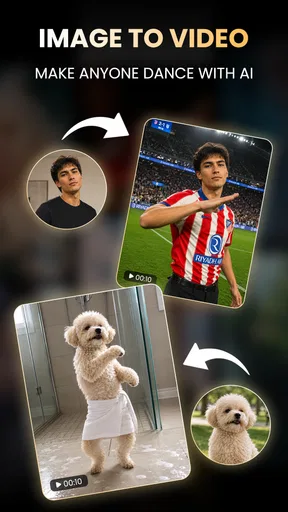
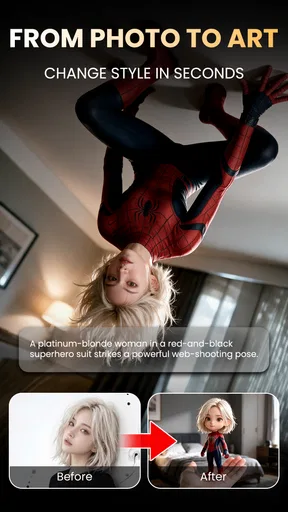
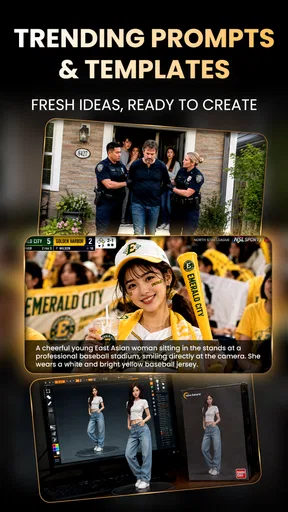


 Analysis by AppCompare
I tend to reach for an AI video app when I have an idea for a quick visual but don’t want to spend an evening learning a full editing suite. 3D FlixAI is aimed at that kind of lightweight creative work: a mobile art-and-design app from Tresor Tech that turns a short prompt or source material into an AI-styled photo or video. Its appeal is the low-friction starting point, though I’d treat it as a way to explore a look rather than a substitute for careful, frame-by-frame editing.
What the free entry point does—and doesn’t tell you
The app is free to install, so you can try it without paying up front. It also offers in-app purchases, with listed items ranging from $4.99 to $36.99. That makes the cost story fairly simple at first and less predictable once you consider paid options: the free download is not the same thing as unlimited creation, and the presence of purchases does not tell me which option, if any, you’ll need for a particular project.
I’d start by testing one small idea before deciding whether a purchase is worthwhile. That lets you judge the visual style and the amount of control you get with your own subject, instead of paying based on a generic promise. I can’t infer what each purchase includes from the price range alone, so I would check the in-app purchase details carefully before confirming anything. If you only want to experiment now and then, staying with free access may be enough; regular creators should first see whether the paid options solve a specific need they actually have.
How 3D FlixAI fits into a creative workflow
I see 3D FlixAI as a quick creative stop between having an idea and deciding how to develop it. In this section, I’ll focus on how its AI-led visual approach can complement a broader workflow, including when I’d keep the result as a playful experiment and when I’d move to a more controlled editing tool.
Fast visual experiments, not a full editing desk
The most useful way to think about 3D FlixAI is as a shortcut from an idea to a stylized result. The app’s store summary focuses on making AI photos and videos in a single tap, with anime, 3D and other creative styles. That points toward quick visual transformation rather than the detailed timeline work, precise audio mixing or careful color correction I’d expect from a dedicated video editor.
That distinction matters when choosing a tool. If I want to try a playful anime treatment for a photo or make a short, eye-catching visual for a post, a style-focused generator can be more inviting than opening a traditional editor and building everything manually. If I need exact cuts, repeatable brand colors, carefully timed captions or a project that must match a client brief, I’d rather use a conventional editor with explicit controls. AI generation is useful for getting a direction quickly; it is not automatically the best route to a predictable final deliverable.
A practical way to test the app
For a first session, I’d choose an image or clip with one clear subject and a simple background. That gives me a better chance of judging whether the chosen style preserves what matters, instead of confusing a complicated scene with the generator’s strengths or weaknesses. I’d compare a few different styles on the same source material, if the app lets me do so, rather than changing both the input and the style at once. That small bit of discipline makes it easier to tell whether I like the treatment or merely the original image.
Worth Reading Before You Choose

Switching to Android Auto Means Rethinking Your Driving Routine

Google Calendar Makes a Crowded Week Easier to Manage

Baby Panda World Brings Quick Play to Modern Phones, but Its Game Library Feels Busy

ESPN’s Live Game View Makes Following Close Games Easier

QuizzLand Review: A Good Fit for Short Trivia Breaks, Not Every Player

Basketball Stars: Multiplayer Is Fast, but Can It Recover When Matches Go Wrong?
I would also keep the first result as a draft. AI-styled output can be striking at a glance but may not preserve every detail I care about, especially when a face, text, or a specific object needs to remain recognizable. Before sharing, I’d inspect the whole image or video rather than judging it from a thumbnail. This is particularly useful for a small business post or an invitation, where a distorted logo or an altered word can matter more than an attractive overall effect.
Where it sits among the usual alternatives
Compared with a standard mobile video editor, this app’s central draw is the AI-led creative treatment, not a promise of deep manual control. A conventional editor is usually the safer pick when the job is to arrange existing clips, add exact captions, trim to a precise duration, or maintain a consistent look across a series. A design app built around static graphics may be better for a poster or a layout where typography and alignment need to be exact. I’d use 3D FlixAI when the visual transformation itself is the point, then move the result into another tool if the project needs finishing work.
It also helps to separate “quick to generate” from “ready to publish.” A one-tap workflow can remove friction, but it doesn’t remove the need to choose a suitable source, check the output, and make sure it communicates what you intended. For casual creative posts, that trade-off can be worthwhile. For a polished campaign, a consistent product demonstration, or anything with strict visual requirements, the extra control of a traditional workflow may save time in revisions.
Everyday uses that make sense
One realistic use is making a birthday greeting feel personal without building a video from scratch. I might start with a favorite photo, try a playful 3D or anime-inspired treatment, and send the result as a small surprise. The goal would be a fun variation, not a faithful archival copy, so some creative interpretation is part of the appeal. I’d still check that the people in the image remain recognizable before sharing it with family.
For a small shop or hobby account, I can see using a generated image or short clip as a quick way to test a visual mood for a post. I’d keep the wording and any essential product details outside the generated artwork unless I can verify they render correctly. Text is a poor place to gamble on an automated visual process: a beautiful background is easy to replace, while an incorrect price or misspelled product name can make a post unusable.
It may also suit someone who wants to explore styles before committing to a larger project. A creator can use the app to see whether a subject feels better in a 3D look or an anime treatment, then use that result as inspiration for a more controlled edit elsewhere. In that workflow, the app is less a complete production pipeline and more a sketchbook for visual directions.
Limits worth weighing before you rely on it
AI output involves a trade-off between speed and control. You may get an appealing result quickly, but the app’s one-tap emphasis does not guarantee that every detail will match your intention. If an exact likeness, accurate lettering, or consistency across multiple assets is essential, I would not make generated output the only version of the work. Keep the original source and treat the AI result as an option to review, not as a replacement you cannot revise.
There is also a practical cost question for frequent use. The app is free to download, but paid in-app items range from $4.99 to $36.99. Since the listed range alone doesn’t explain what each item unlocks, I’d avoid assuming that paying will provide a particular number of generations or a specific export capability. Try the free experience first, then compare the exact purchase description with the feature you need. If you cannot identify a concrete benefit, there is little reason to spend just because a purchase is available.
Another point is fit: someone who wants a predictable editor with a clear sequence of manual steps may find an AI-first approach less satisfying. I’d choose a standard editor for a school presentation that needs exact timing, a product video that must preserve every detail, or a recurring social series that needs the same template each time. The app makes more sense when experimentation and visual novelty are welcome, and less sense when consistency is the main requirement.
Who is likely to get the most from it?
I’d recommend trying it if you enjoy playful visual styles, want to make a quick creative post, or are curious about AI-assisted imagery without starting from a desktop workflow. Beginners may appreciate having a low-effort way to explore a look before learning more complex editing tools. The app is listed for Everyone, and its current version is 1.1.6; it requires Android 7.0 or later. Those basics make it accessible to a broad range of Android users, though the right choice still depends on the kind of control your work requires.
It may be less appealing if you expect a full production suite, need reliable precision, or plan to create a large volume of finished content without checking each result. I’d also be cautious about making a purchase before testing the app on the kind of source material I actually use. A style that looks good on a sample may not suit a family photo, a product shot, or a busy scene equally well.
There’s enough user interest to make it a visible option in the category: it has over one million installs and an average rating of 3.7 from around 6,200 ratings, alongside 164 written reviews. I treat those figures as context rather than a guarantee of fit. Individual results depend on the creative task, and the most useful test is still whether the app handles your own images and ideas in a way you’re happy to share.
My verdict on trying or skipping it
My recommendation is to try the free download if your goal is fast, playful experimentation with AI-styled photos or videos. Tresor Tech’s app has a clear niche in art and design: it can help you explore a look without first mastering a traditional editing workflow. I’d keep expectations grounded, inspect each result, and think of it as a creative starting point rather than an automatic route to a finished professional video.
For occasional personal projects, that may be all you need. For precise editing, repeatable brand work, or content where every detail must remain unchanged, I’d pick a more manual tool or use one alongside it. The purchase range makes it sensible to test before spending and to buy only when an in-app option clearly fits your purpose. If you value speed and visual experimentation more than fine-grained control, 3D FlixAI is worth a look; if control is the priority, I’d skip it as your main editor.
If you’re anything like me, you’ve probably spent hours searching for the perfect app that lets you create cool videos without needing a degree in film production. Well, look no further because 3D FlixAI is here to rescue us from our editing woes!
Getting Started with 3D FlixAI
Diving into 3D FlixAI is like opening a treasure chest of creativity. Once you install the app, you’re greeted with a sleek and user-friendly interface that just begs you to start creating. The setup is a breeze, and you can either sign up with an email or just link your social media account to get started.
Features That Make You Go Wow!
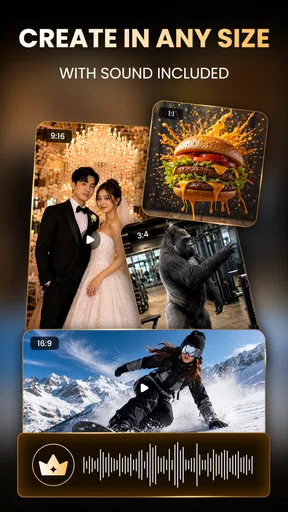
One of the first things that caught my eye was the variety of templates available. Whether you’re working on a birthday montage or a professional promo video, there’s a template for every occasion. The app’s AI algorithms are top-notch, helping you turn simple clips into stunning 3D animations with just a few taps. It’s like having a mini-Hollywood studio right in your pocket!
Another fantastic feature is the voiceover tool. You can add narrations to your videos, and the results sound surprisingly natural. The app also supports multiple languages, so you’re not stuck with just English. How cool is that?
Editing Made Easy
I’m not a pro editor, but 3D FlixAI makes me feel like one. The editing tools are super intuitive. You can trim, cut, and merge clips effortlessly. Plus, the transition effects are smooth and add a professional touch to any video. They’ve even included a library of royalty-free music, which is a lifesaver when you want to add some background tunes without worrying about copyright issues.
Sharing Your Masterpiece
Once you’re done editing, sharing your creation is as simple as clicking a button. You can export your videos in various formats and resolutions, perfect for social media platforms. The app also integrates seamlessly with popular social networks, so you can share your masterpieces directly to your Instagram or TikTok without any hassle.
Final Thoughts
In a world where content is king, 3D FlixAI is a fantastic ally. It’s perfect for both beginners and seasoned editors looking to add a bit of flair to their videos. With its powerful AI tools and user-friendly design, creating stunning videos has never been easier. So why not give it a try? Dive into 3D FlixAI and unleash your inner Spielberg today!
Pros
- User-friendly interface for quick navigation.
- Offers a wide range of 3D templates.
- High-quality video output every time.
- Supports multiple video formats.
- Fast rendering without lag.
Cons
- Limited free version features.
- Occasional crashes on older devices.
- Requires a stable internet connection.
- High battery consumption during use.
- Subscription needed for premium assets.
FAQs for AI Video Generator: 3D FlixAI
What is AI Video Generator: 3D FlixAI and how does it work?
AI Video Generator: 3D FlixAI is an innovative app that allows users to create stunning 3D animations and videos using artificial intelligence. By leveraging state-of-the-art AI technology, the app transforms simple inputs into high-quality 3D content. Users can customize animations with various effects and filters, making it accessible for both beginners and professionals.
Is AI Video Generator: 3D FlixAI suitable for beginners?
Yes, AI Video Generator: 3D FlixAI is designed to be user-friendly, offering an intuitive interface that makes it easy for beginners to create 3D animations. The app provides step-by-step guides and tutorials to help users understand the features and tools available, ensuring a smooth learning curve for newcomers to digital animation.
What are the key features of AI Video Generator: 3D FlixAI?
Key features of AI Video Generator: 3D FlixAI include a range of customizable 3D templates, AI-driven animation tools, and various effects and filters to enhance videos. The app also supports high-resolution video output and offers seamless integration with social media platforms for easy sharing. Regular updates ensure the app stays current with the latest trends and technologies.
Are there any in-app purchases or subscriptions required?
AI Video Generator: 3D FlixAI offers a free version with basic features, but for access to advanced tools and premium content, users may need to make in-app purchases or subscribe to a paid plan. These premium options provide additional templates, effects, and higher resolution output, catering to more advanced users and professionals.
What devices and operating systems are compatible with AI Video Generator: 3D FlixAI?
AI Video Generator: 3D FlixAI is compatible with both Android and iOS devices. It requires a minimum of Android 8.0 or iOS 12.0 to function smoothly. The app is optimized for smartphones and tablets, ensuring a consistent user experience across various devices. Regular updates help maintain compatibility with new operating system releases.


